Reassigning Review Items
Reassigning Review Items
Section titled “Reassigning Review Items”To reassign review items, as a UAR Admin, navigate to https://companyname-uar.tikabu.io/ and choose Review Items from the left menu
Find an item assigned to the incorrect manager and click on Reassign
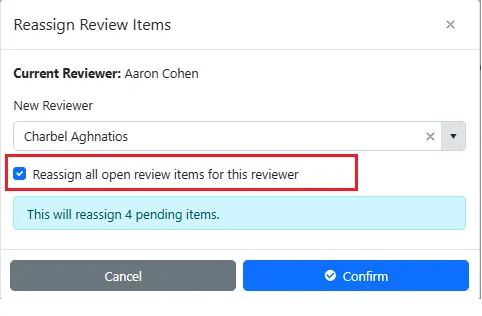
Choose the new reviewer and select “Reassign all open review items for this reviewer”
Click Confirm to complete the reassignment