Finalising a Completed UAR Campaign
Finalising a Completed UAR Campaign
Section titled “Finalising a Completed UAR Campaign”After a User Access Review (UAR) campaign reaches its end date, it is not automatically finalised. Even though the campaign is marked as Completed, it remains in a grace period and must be manually finalised by a UAR Admin to officially close it.
⚠️ Completed Campaign Requires Attention
Section titled “⚠️ Completed Campaign Requires Attention”If there is a campaign that has ended but has not yet been finalised, a warning banner will be displayed with the following message:
Completed Campaign Requires Your Attention
1 campaign has reached its end date and remains in a grace period where:
- Review items remain editable for late submissions
- Reviewers can still complete pending reviews
- Campaigns must be finalised to permanently lock review items
Action Required: Review the completed campaigns in the grid below and finalise them when ready to close.
This indicates that the campaign is still open to changes and has not yet been permanently closed.
When should I finalise?
Section titled “When should I finalise?”Finalising a campaign is a permanent action and should be done only when you are confident the review is complete.
Recommended best practices
Section titled “Recommended best practices”You should finalise a UAR campaign when:
- ✅ All required reviewers have completed their reviews
- ✅ Late submissions are no longer expected
- ✅ Any outstanding questions or exceptions have been resolved
- ✅ You are ready to lock all access decisions for audit and compliance purposes
Avoid finalising if:
Section titled “Avoid finalising if:”- ❌ Review items are still actively being updated
- ❌ Reviewers need additional time to complete pending reviews
- ❌ You expect further changes or corrections to access decisions
Once a campaign is finalised, no further edits, reviews, or reactivation are possible.
Steps to Finalise a Campaign
Section titled “Steps to Finalise a Campaign”To finalise a completed UAR campaign:
- Locate the completed campaign in the campaigns grid.
- Click View to open the campaign details.
- Click Finalise Campaign.
- Review the confirmation warning.
- Click Finalise Campaign again to confirm.
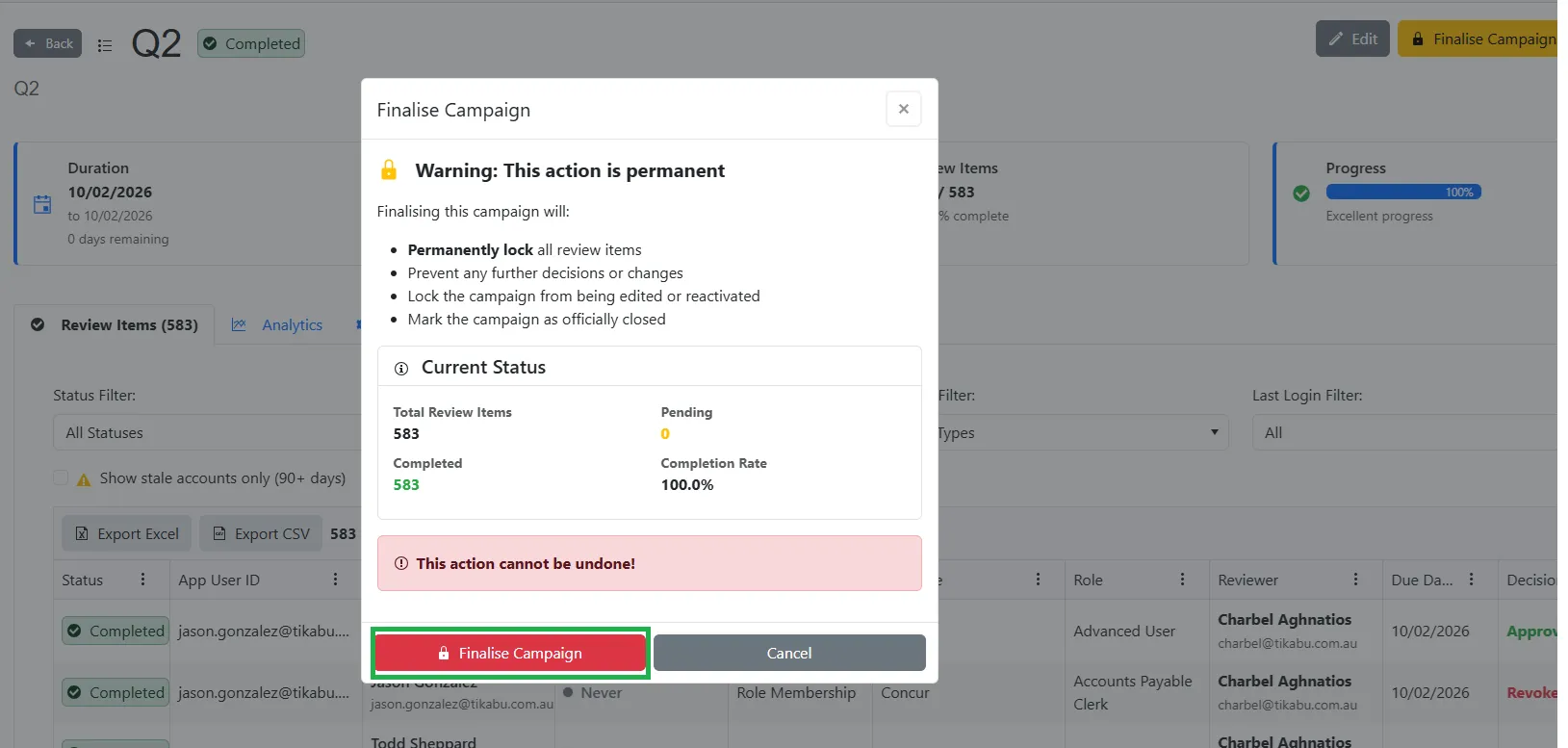
🚨 Finalisation Warning (Permanent Action)
Section titled “🚨 Finalisation Warning (Permanent Action)”Before the campaign is finalised, you will be shown the following warning:
Warning: This action is permanent
Finalising this campaign will:
- Permanently lock all review items
- Prevent any further decisions or changes
- Lock the campaign from being edited or reactivated
- Mark the campaign as officially closed
Once finalised, no further modifications are possible.
Important Notes
Section titled “Important Notes”- Finalisation is required to fully close a campaign.
- A completed campaign that is not finalised remains editable during the grace period.
- Only UAR Admins can finalise campaigns.
- This action cannot be undone.
Screenshots
Section titled “Screenshots”- Completed Campaign warning banner
- Finalising Campaigns - Step 1
- Finalising Campaigns - Step 2
- Finalising Campaigns - Step 3
Completed Campaign warning banner
Section titled “Completed Campaign warning banner”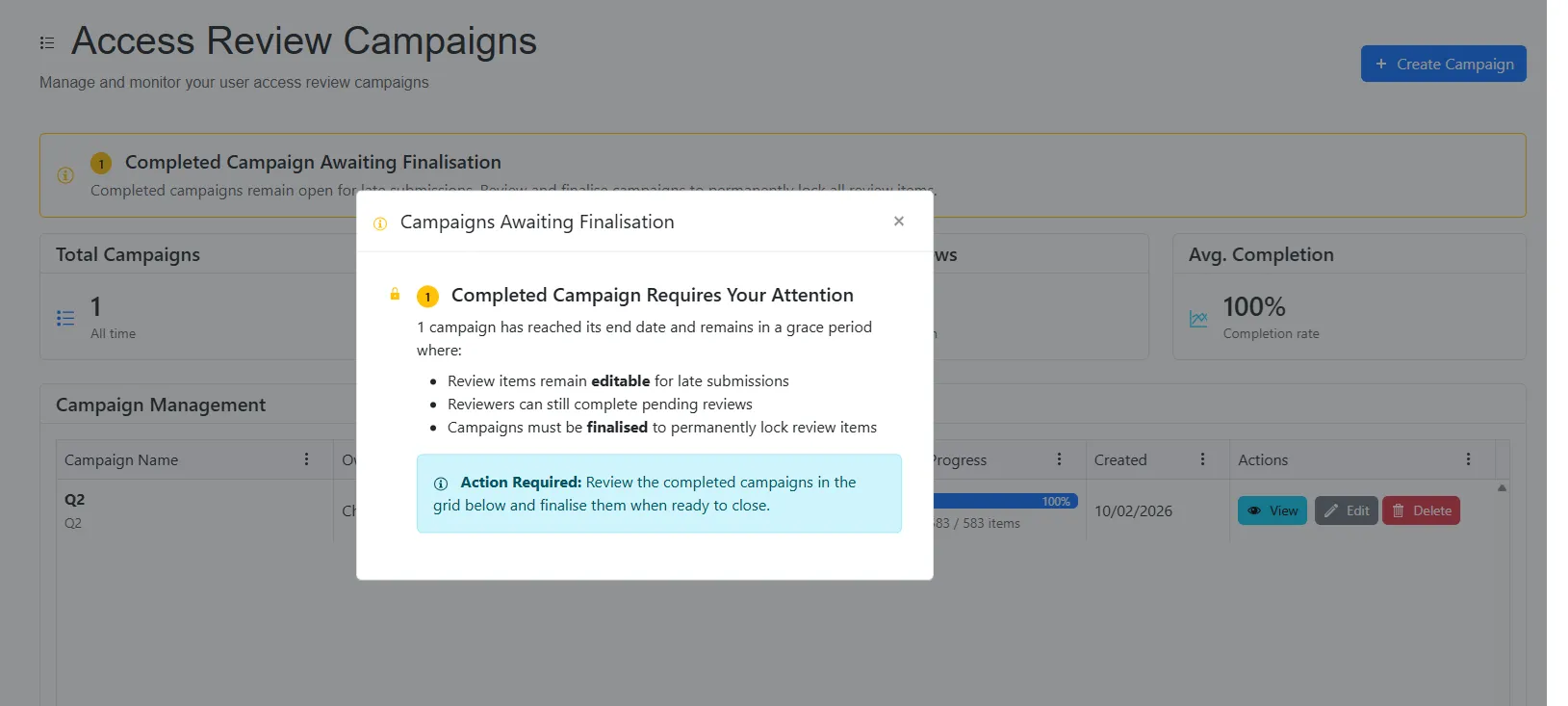
Finalising Campaigns - Step 1
Section titled “Finalising Campaigns - Step 1”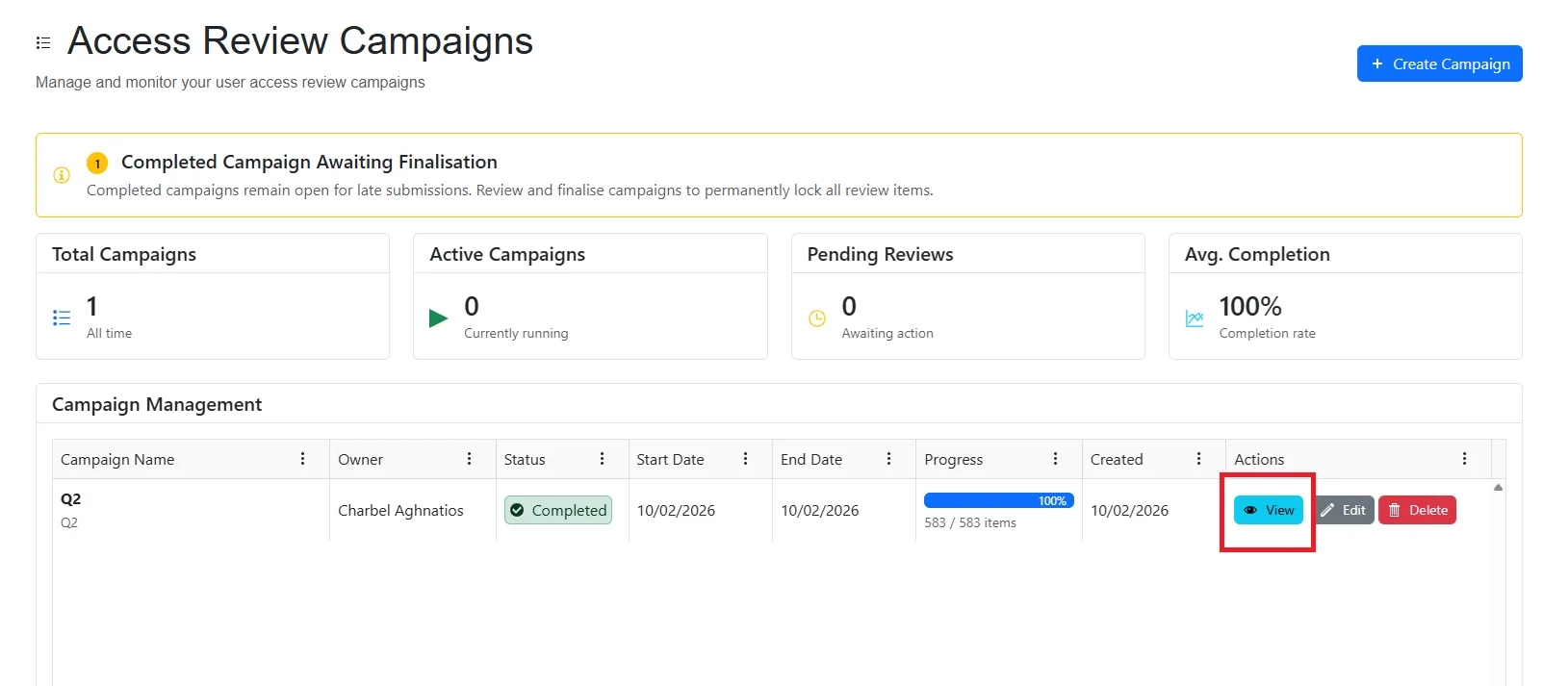
Finalising Campaigns - Step 2
Section titled “Finalising Campaigns - Step 2”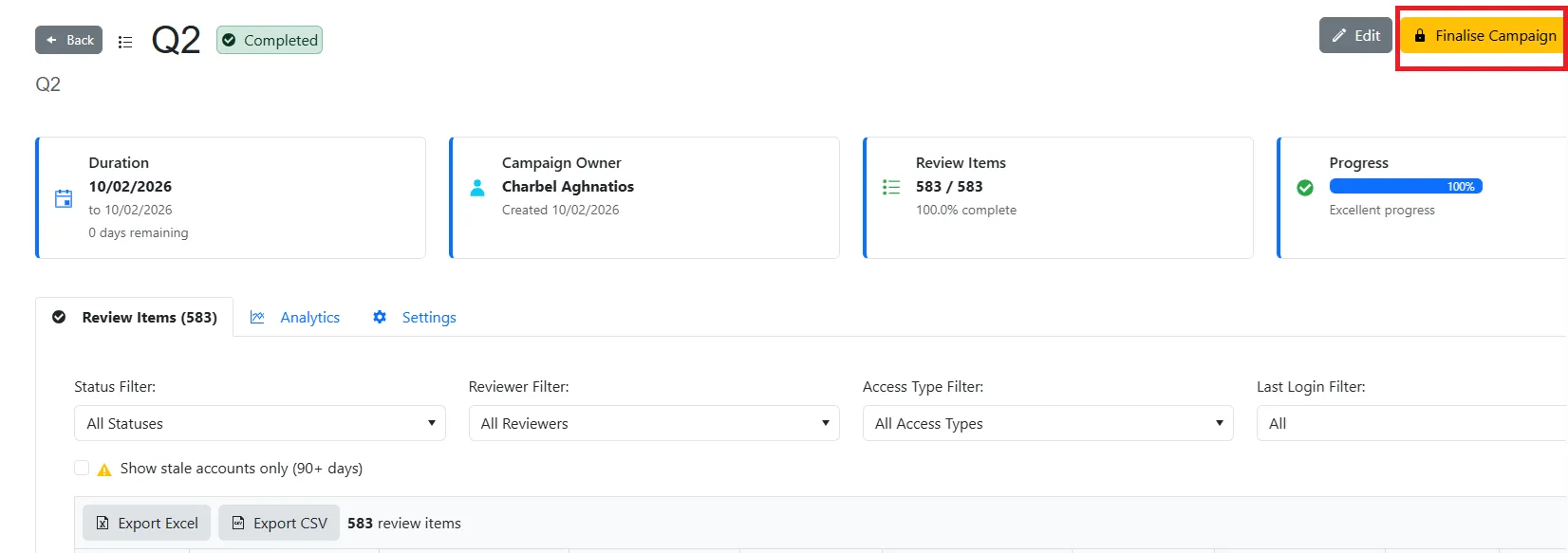
Finalising Campaigns - Step 3
Section titled “Finalising Campaigns - Step 3”