
M365 (Intune, Defender for Endpoint, Entra ID)
M365 Data Sources
Section titled “M365 Data Sources”Below are the instructions to configure a service principal (app) so Glue can access M365 information. You will need a Client ID, Secret and Azure AD Tenant ID in order to access the data.
Required API Permissions
Section titled “Required API Permissions”Glue requires access to Microsoft Graph and Windows Defender ATP APIs. The following permissions are required depending on which data sources you want to use:
Intune
Section titled “Intune”- Microsoft Graph: DeviceManagementManagedDevices.Read.All
Entra ID Devices
Section titled “Entra ID Devices”- Microsoft Graph: Device.Read.All
Defender for Endpoint
Section titled “Defender for Endpoint”- WindowsDefenderATP: Machine.Read.All
All of these permissions can be added to a single app registration.
Setup Instructions
Section titled “Setup Instructions”%20(1).2WhTZ_0C_TBNVj.webp)
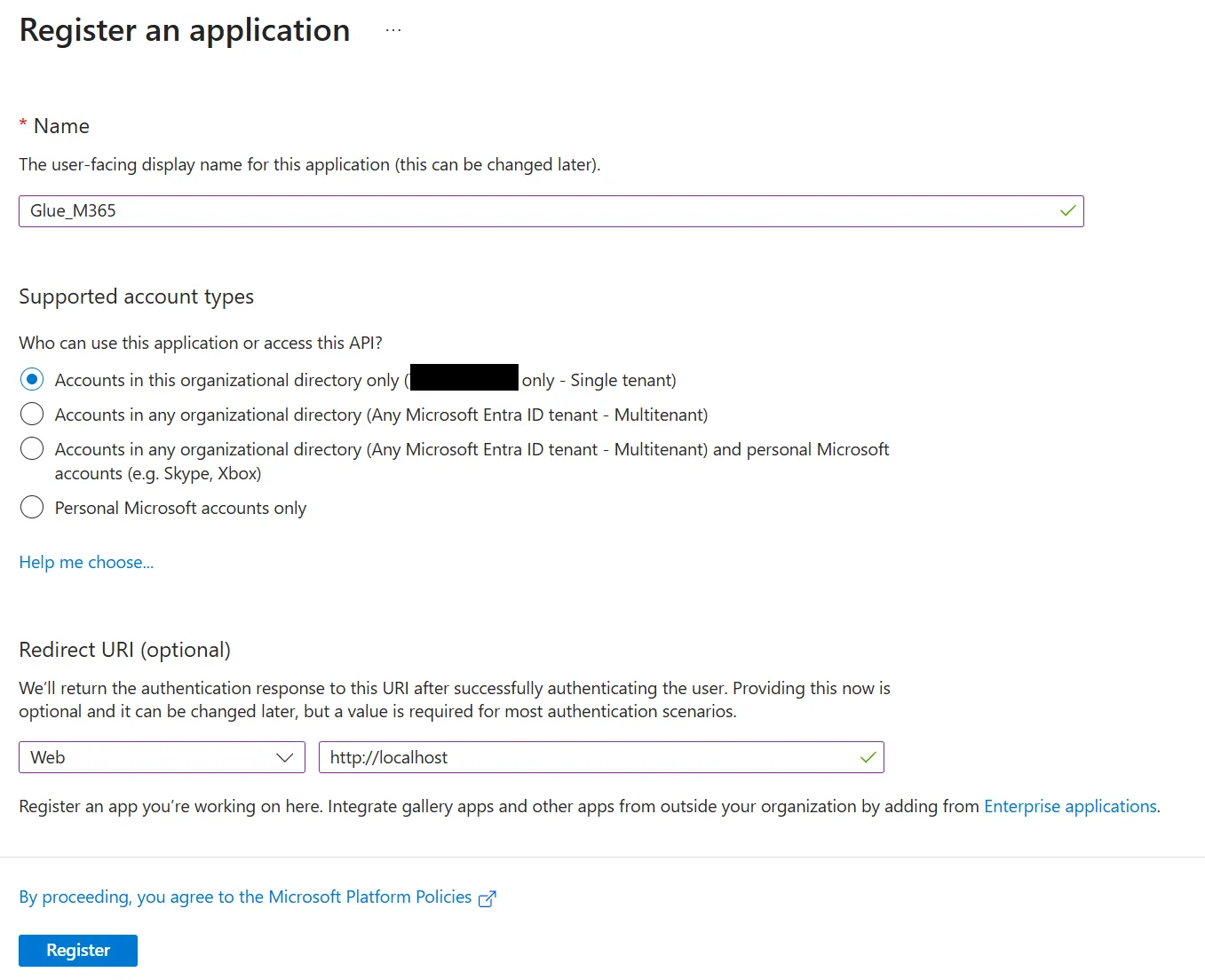
Create a new app in Azure AD called Glue_M365 with a web redirect URI of http://localhost.
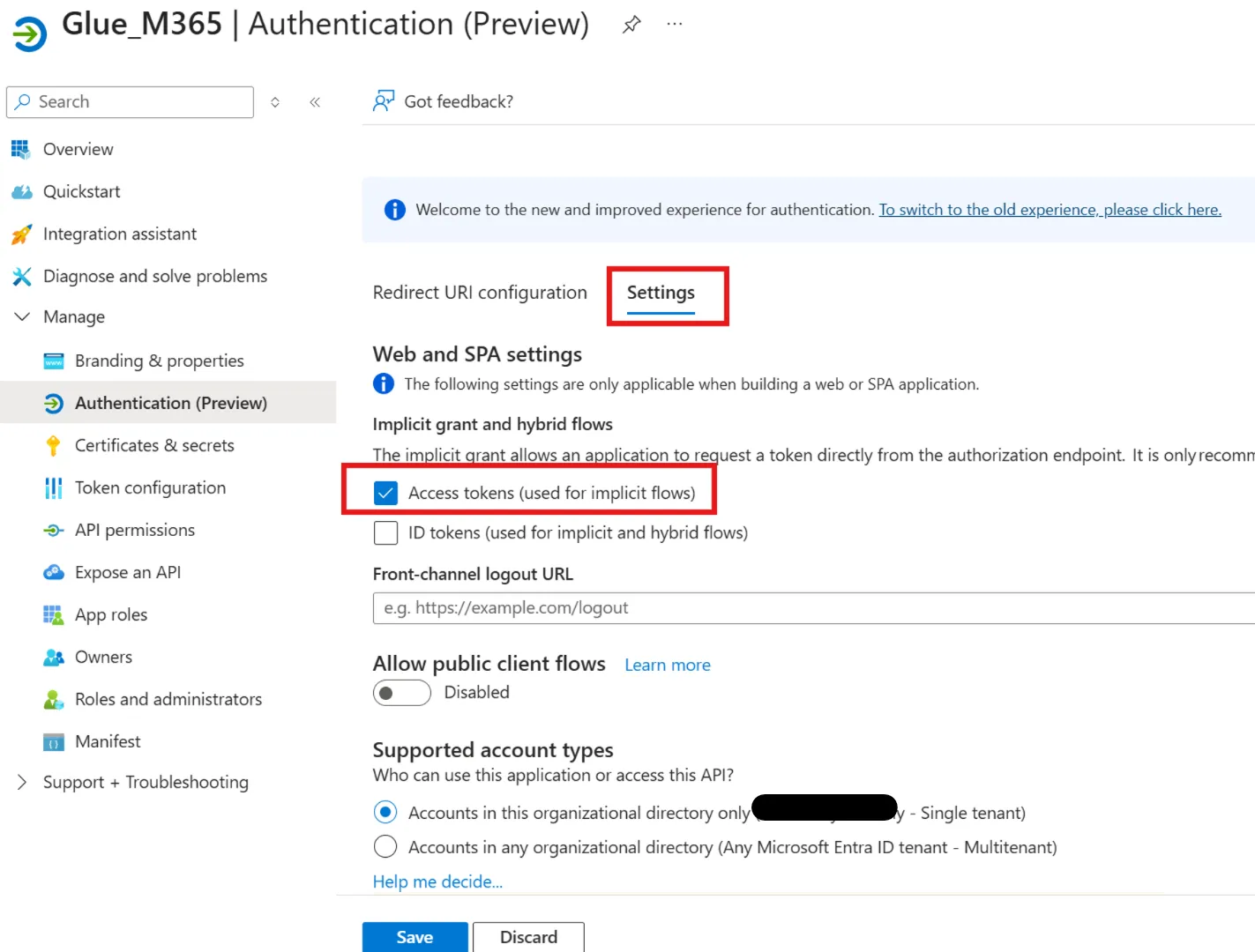
Under Authentication -> Settings select ‘Access Tokens’.
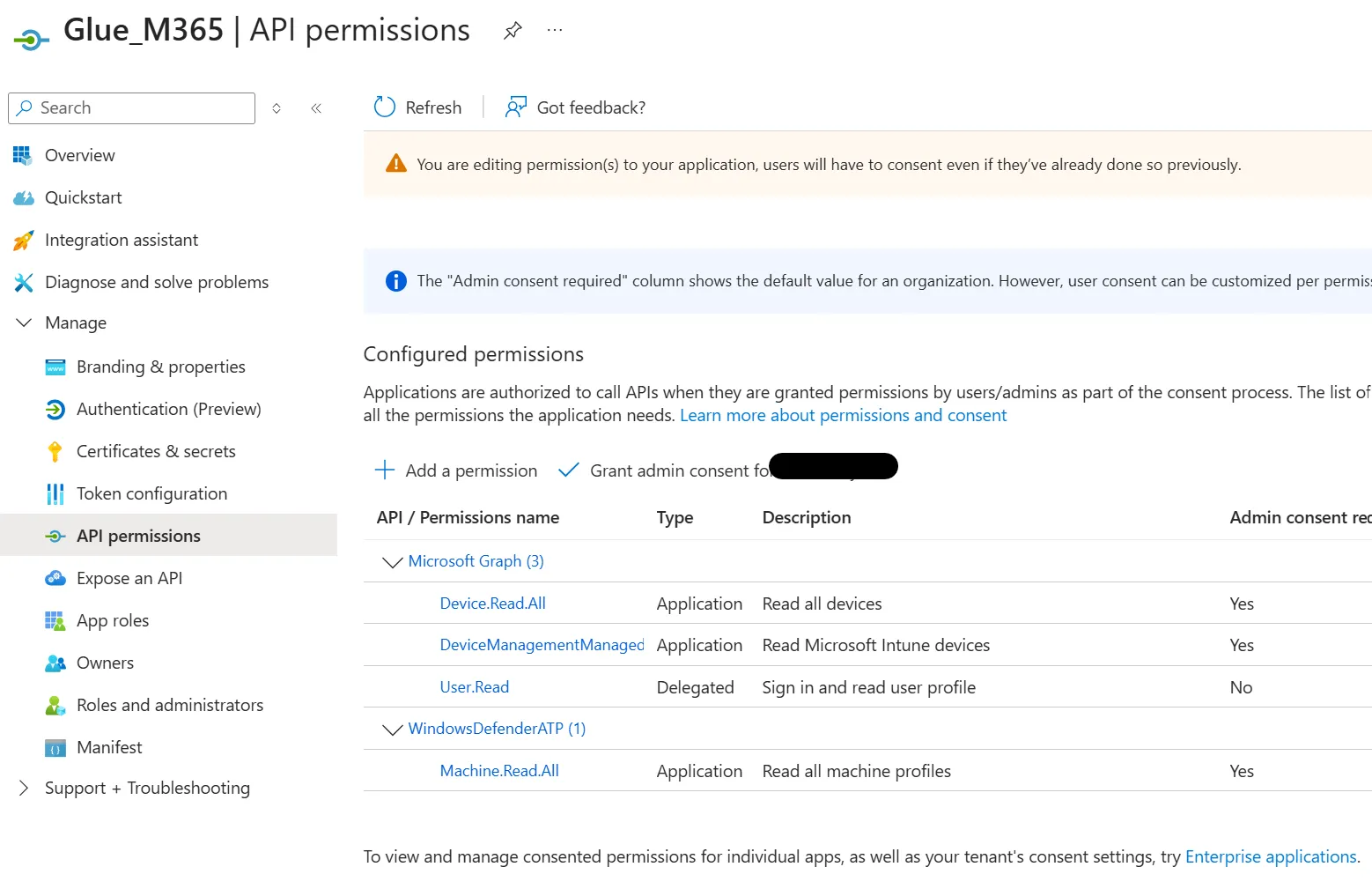
Under API permissions, add the following permissions based on your requirements:
For Microsoft Graph:
- DeviceManagementManagedDevices.Read.All (for Intune)
- Device.Read.All (for Entra ID devices)
For WindowsDefenderATP:
- Machine.Read.All (for Defender for Endpoint)
Make sure to select ‘Application Permissions’ for each and grant admin consent.
%20(2).0HBhFlC3_Krlba.webp)
Select Certificates and secrets. Create a Client secret
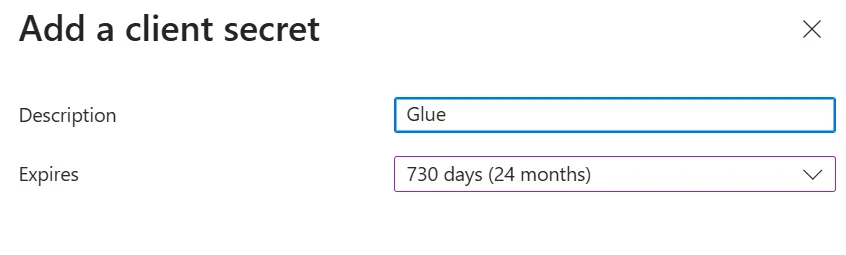
Be sure to copy the Value as it is only available when you initially create the secret. The Secret ID is not needed
%20(2).drVOXN5-_Z27sDT5.webp)